
NJ PIP Software
PIP Is Complicated.
Your Software Shouldn’t Be
V3 is New Jersey PIP software for medical practices: pre-certifications, pre-service and post-service appeals, billing and arbitration in one connected system.
The path of a PIP case
What Makes PIP Different. And How V3 Helps
One PIP case
MORENO, DANIELCar accident · 10/02/2026 · NJM Insurance · Claim #PIP-48213A PIP case carries its own claim number, insurer, adjuster and often an attorney, all tied to the accident.
01Case Intake
A PIP case opens with the patient, accident, insurer and claim number.
Required fields ✓4Missing key infoInsurers, employer and attorney on the case, with mandatory fields and missing info flagged on the dashboard.
Treatment may need the insurer’s approval before it starts, and the insurer has a set time to answer.
02Pre-Certification
Treatment often needs approval before it happens.
15Pre-Certs To Do3Over 72 hoursCreated from the appointment. Flagged if there is no answer in 72 hours.
A denied or reduced pre-cert can be appealed to the insurer before treatment starts.
03Pre-Service Appeal
A denied or reduced pre-cert can be appealed before treatment.
Denied→Appeals To DoDenials go straight to Appeals To Do, with the appeal pre-filled from the case.
Visits are billed to the PIP carrier on CMS-1500 at New Jersey PIP rates.
04Treatment & Billing
Visits are documented and billed to the PIP carrier.
CMS-1500→Submitted ✓ 11/05Bills from the visit, sent by clearinghouse or fax, with proof saved.
After treatment, a denied or reduced bill goes through the insurer’s appeal before it can go further.
05Post-Service Appeal
Denied or underpaid bills can be appealed after treatment.
Reduced→Appeal sent · awaiting answerDenied or reduced bills appealed from the bill and tracked to an answer.
A dispute that stays open after appeals can go to arbitration.
06Arbitration
Disputes that stay open can move to arbitration.
Packet ready14 documentsPackets built from the case, bill and payment history.
Same case
Paid, or decided in arbitrationEvery step, document and answer stays on the case in V3.PIP features
Built for the Complexities of PIP
The parts of PIP that slow your team down, handled inside V3.
Simplify Pre-Certs & Appeals
Create pre-certs from appointments, prepare appeals using existing case details, and track requests from submission to response.
- 15Pre-Certs To DoFrom upcoming appointments
- 24Pre-CertsSent, waiting for an answer
- 3Over 72 hoursNo answer yet
- 5Appeals To DoAppeals pending
- 41Done this monthPre-certs and appeals closed
Appeal Denied or Reduced Bills
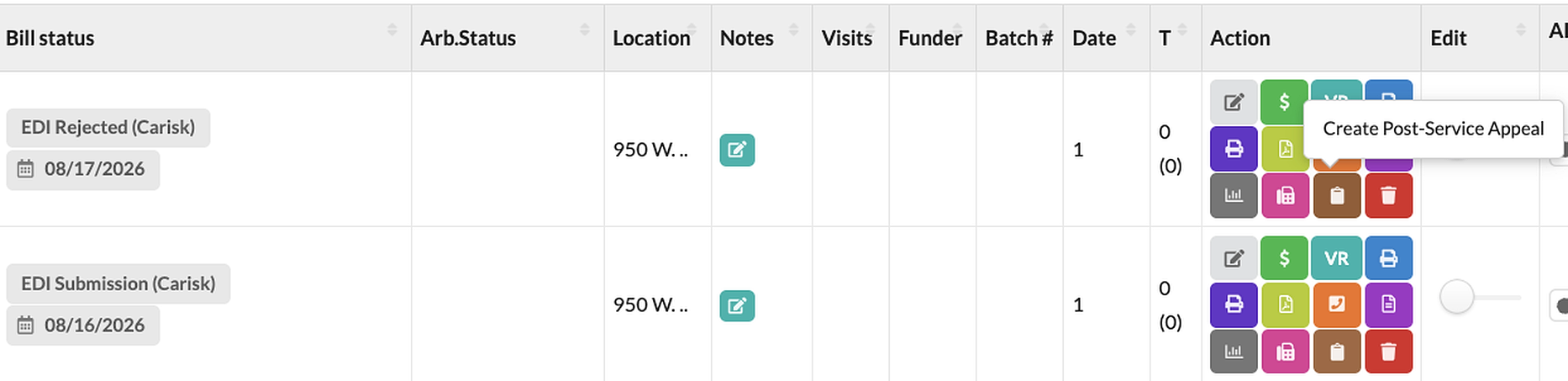
Denied or reduced bill? Appeal it right from the bill and track it until the insurer answers.
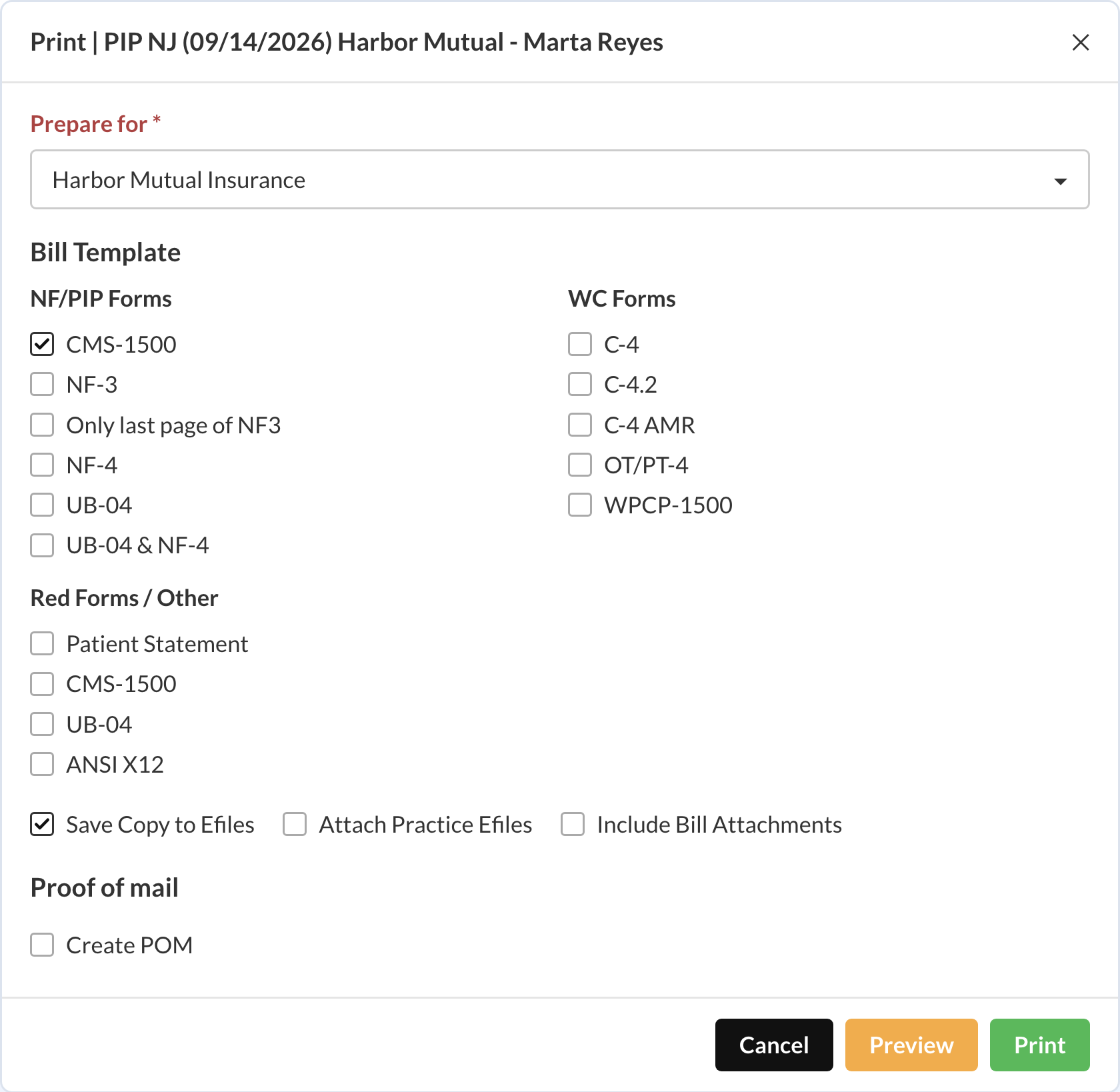
PIP Billing Forms, Filled In
Patient, insurance and claim details flow into the right PIP billing form. Print, fax or submit without retyping.
Other Popular Features
Everything else your team uses every day on PIP cases.
- Dashboards
Keep daily operations in view, spot missing information, and see what needs attention with customizable widgets.
- Worklists
See pending actions and follow-ups across your workflows, organized into dedicated lists.
- Tasks & Reminders
Assign tasks, schedule follow-ups, and get timely reminders so important work doesn’t get overlooked.
- Fax & Clearinghouses
Send documents and submit bills directly from V3, with submission history and confirmations saved.
- E-Signatures
Let patients sign AOBs, liens, and other documents electronically, right from their phones.
- Auto-Filled Documents
Generate forms, letters, appeals, and arbitration packages using information already in the case.
- Reports & Analytics
Analyze collections, denials, case activity, and team productivity with ready-made reports you can export.
- Arbitration Tracking
Identify bills ready for arbitration, prepare supporting documents, and track filing statuses.
FAQ
Questions We Hear Often
Is V3 built for New Jersey PIP?
Yes. V3 is PIP software for New Jersey practices, with pre-certifications, pre-service and post-service appeals, billing and arbitration in one place.
Do we pay for each user?
No. V3 includes unlimited users, so your whole team can work in it without a per-user fee.
Can we customize V3 to our workflow?
Yes. You can set your own statuses, colors, calendar views and templates, and build dashboards with the widgets your team needs.
How are pre-service and post-service appeals handled?
Pre-service appeals start from a denied or reduced pre-cert. Post-service appeals start from a denied or underpaid bill. Each has its own list and status.
Can we fax and submit bills from V3?
Yes. Bills, pre-certs and appeals can be faxed or sent through clearinghouses without leaving V3, and every submission is logged.
How long does it take to get started?
In most cases your V3 is ready within one or two days.
Can you move our data from our current system?
Yes. We help move your existing records from your current system and plan the move with you.
Is training included?
Yes. Training and support for your team are included at no extra cost.
How much does V3 cost?
V3 is subscription-based, with plans starting at $100 per month. Your price depends on the modules and integrations you choose.
Is there a long-term contract?
No. V3 is month to month, with no long-term commitment.
Have another question?See all FAQs
Every PIP Step. Covered in V3
See your own PIP cases, pre-certs and appeals in V3. We’ll set up a demo around how your practice works.